How CreditBack works
Snap the supplier's bill before you sign, tap what's wrong, and send the refund request we write for you. Then CreditBack checks every later bill until the money is back.
Start with a free audit- Example data
 1
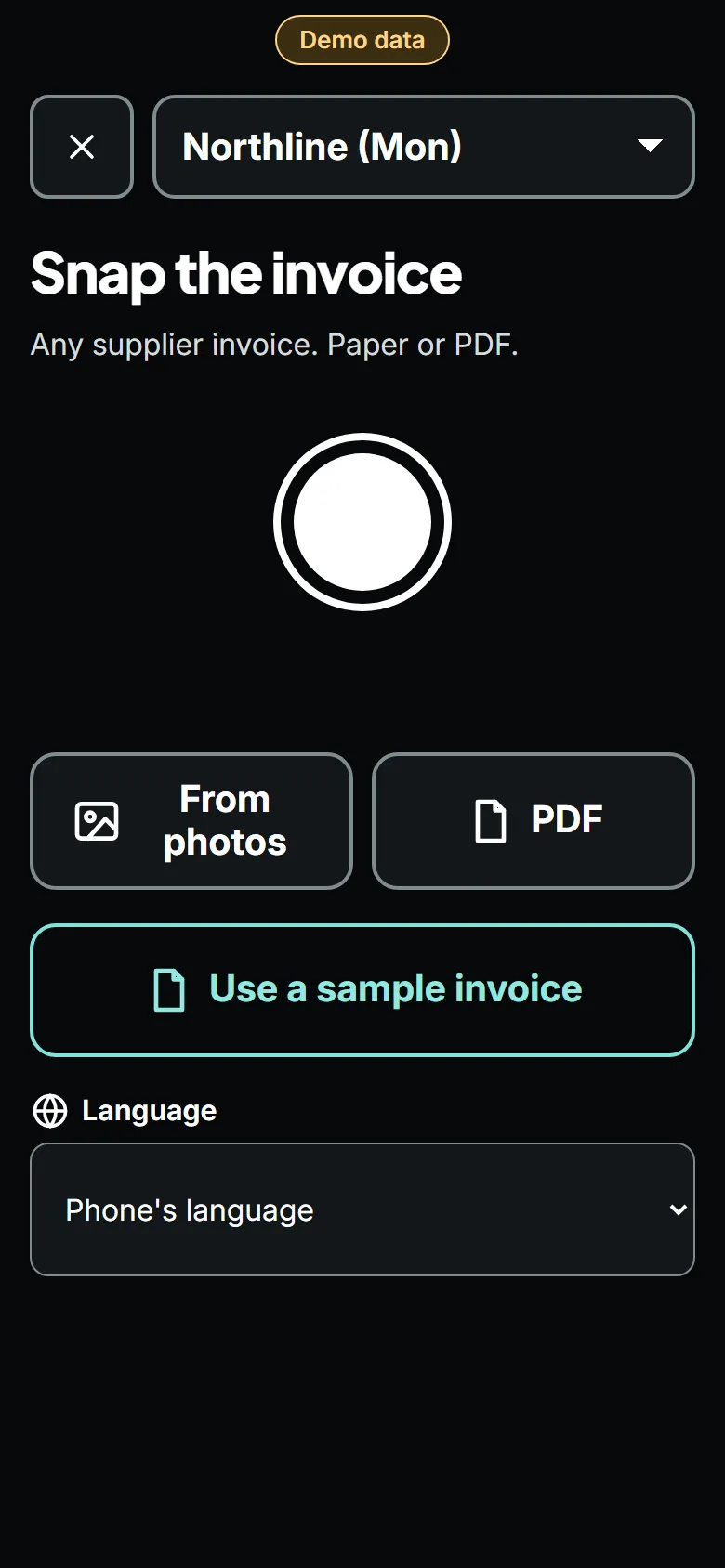
1Snap the bill before you sign
Open the app, take a photo of each page. Or forward the supplier's email to your private address. No setup, no product lists to build.
The AI reads every line in under a minute: item, pack size, quantity, price, fees, and the driver's handwriting.
- Example data
 2
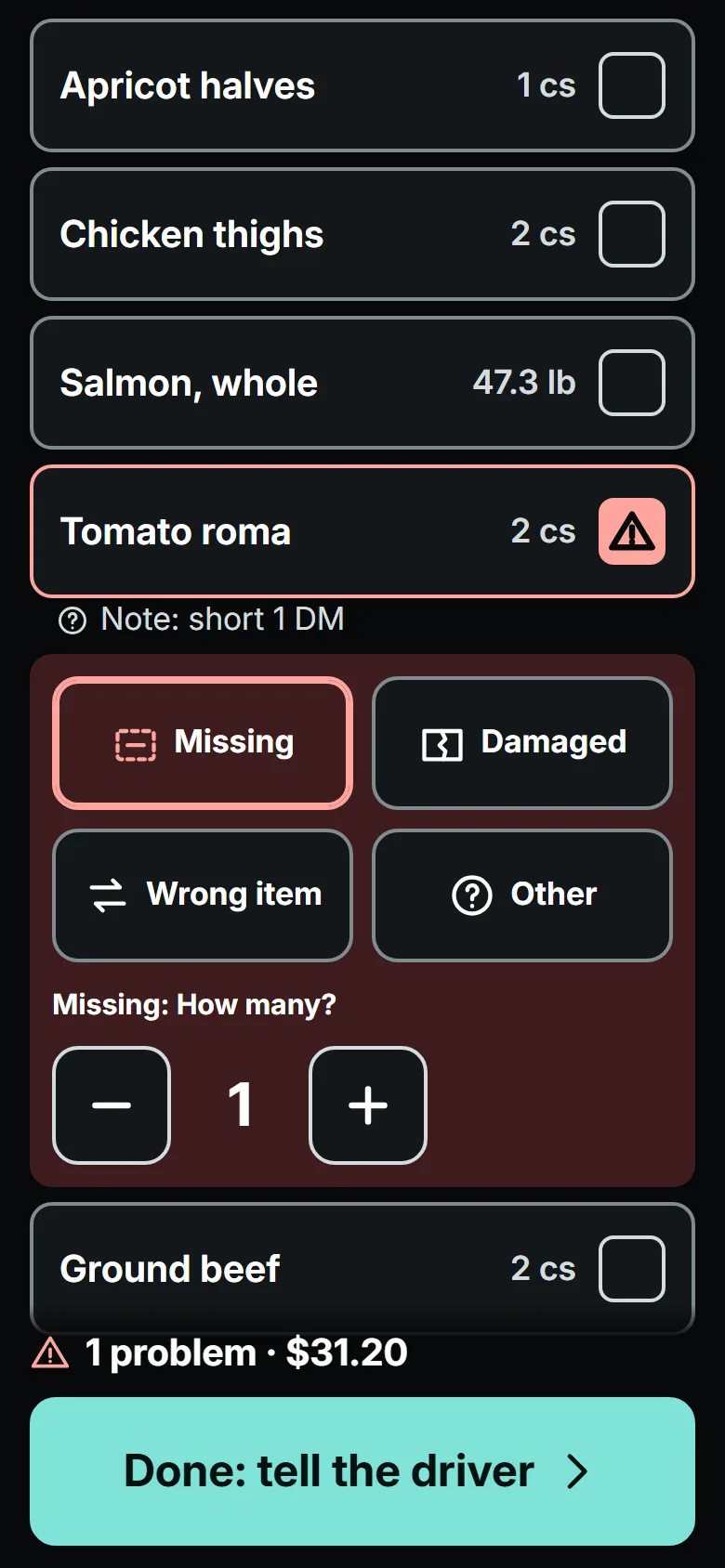
2Tap what's wrong
A case missing? Damaged? Swapped for something else? Tap the line. You can also just tap "something's wrong" and fill in the details later.
Most suppliers only credit problems claimed at the door or within 24 hours, so this step is quick on purpose.
- Example data
 3
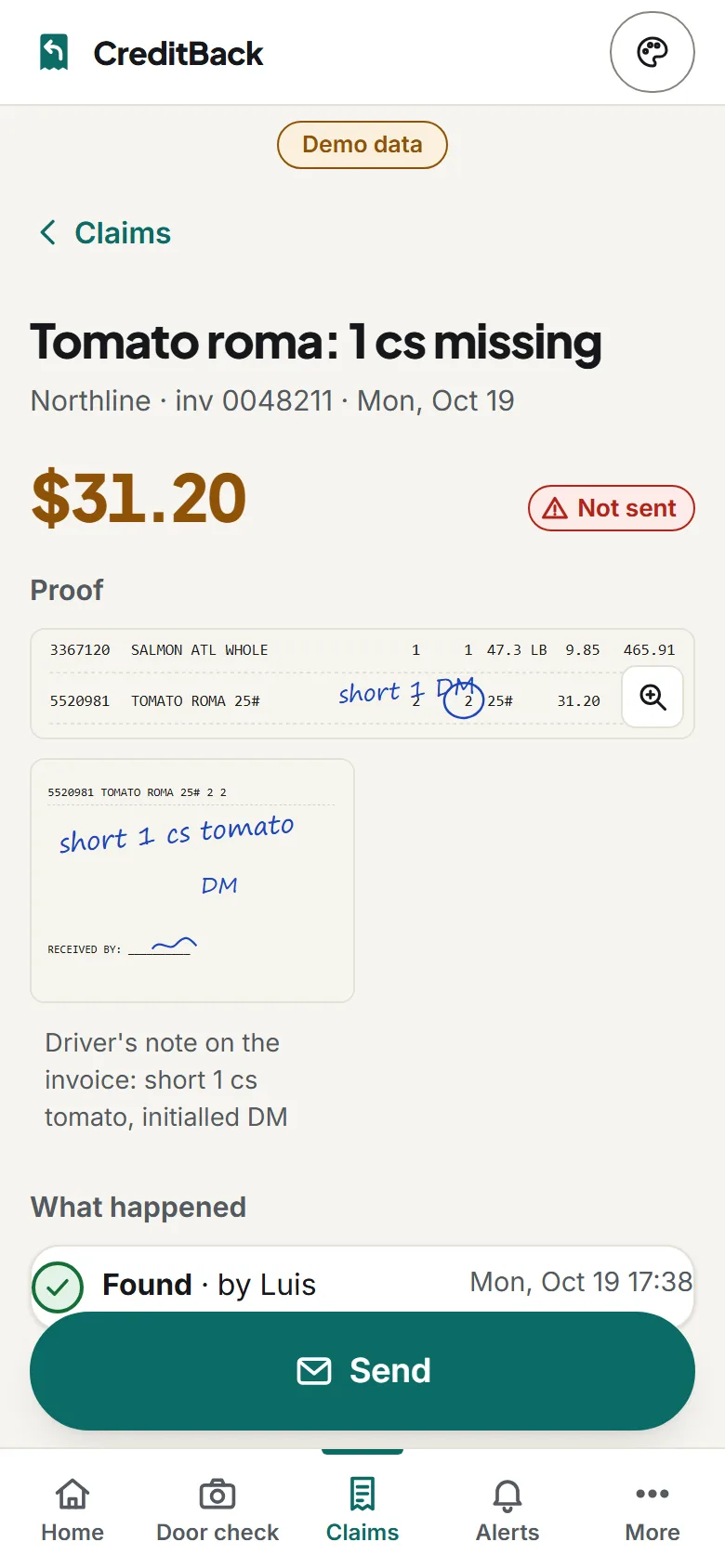
3Send the refund request
We write a short, polite message with the invoice number, the item, the amount, and your photo. You send it from your own email or WhatsApp in one tap.
Your supplier hears from you, not from an app.
- Example data
 4
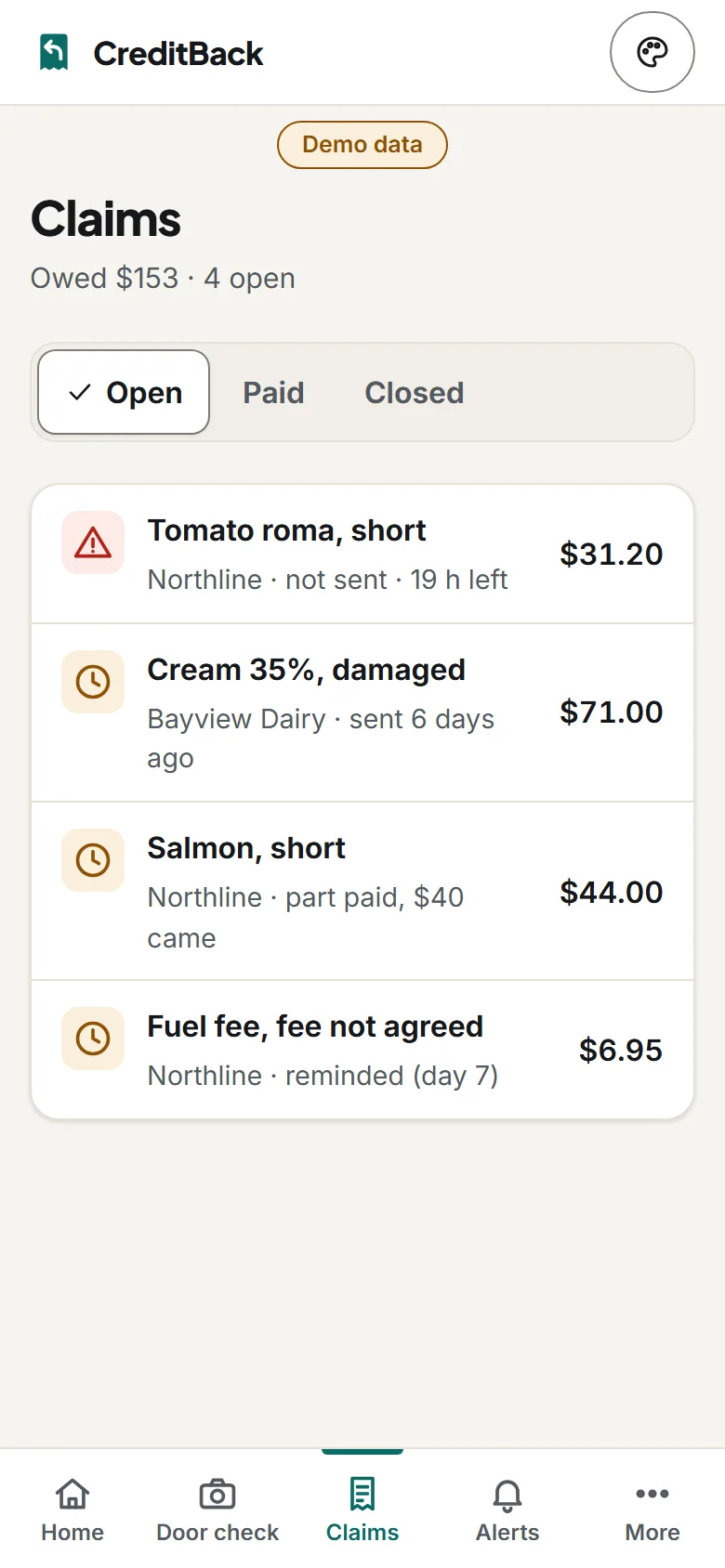
4We watch for the credit
Every later bill, credit note and statement is checked for the matching credit. If nothing comes, you get a reminder after a week, and again before you pay the month-end statement.
When the credit lands, the claim closes itself and the money shows on your home screen.
- Example data
 5
5Price alerts in dollars
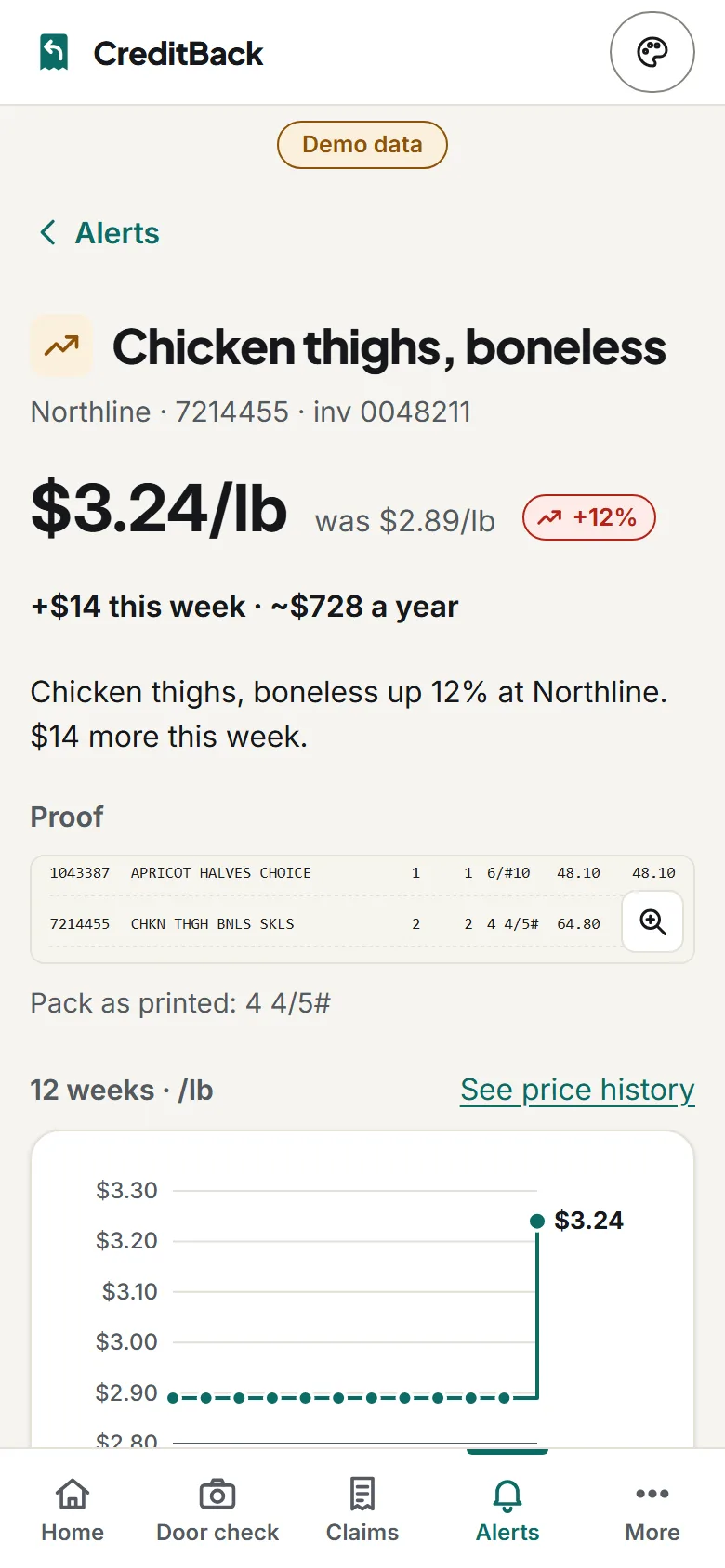
We work out the real price per pound or per kilo and compare it with last time and with any price your rep promised.
"Chicken thighs: $3.24/lb, was $2.89. That's $14 more this week, about $730 a year." (Example.)
- Example data
 6
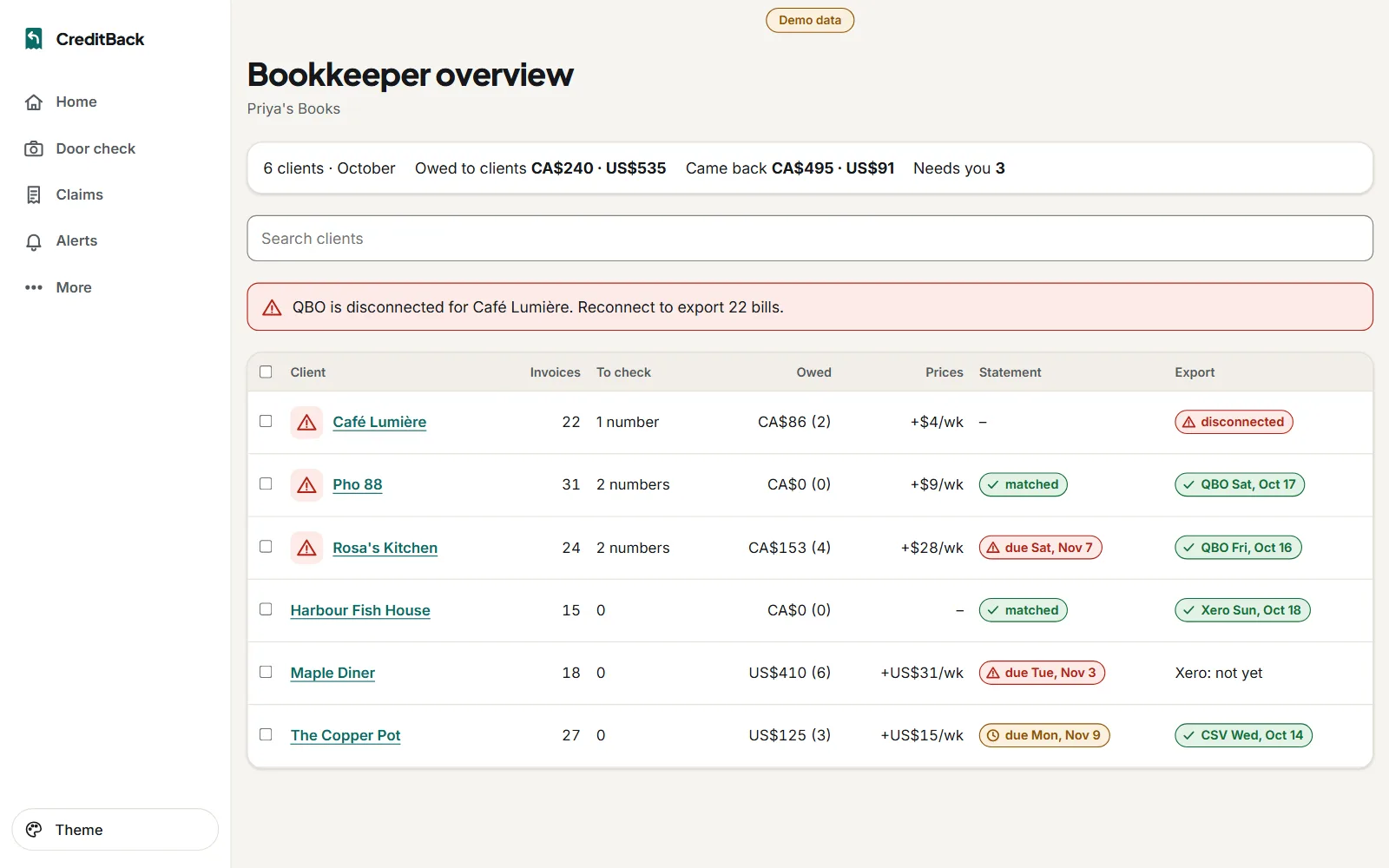
6Your bookkeeper sees it too
Invite your bookkeeper. They see every bill line, every credit, and can export to QuickBooks or Xero.
Screens show made-up example data.
The whole thing in 30 seconds
Find out what your bills are hiding.
Send us 3 months of supplier bills. We'll show you what went up, what was short, and which credits never came. Free.
Start with a free audit